Get the most out of Deal Dish.
Step-by-step walkthroughs for every feature — what each one does, when to use it, and the pro tips most people miss.
Free on iOS · Built for iPhone & iPad · Android coming soon
Set up your preferences
Tell Deal Dish what you like — budget range, favorite ingredients, and allergies — and the app tailors every recipe and deal to you.
- On first launch, walk through onboarding: add a profile photo, your name, and choose a public or private profile.
- Set your weekly budget range so recipes and deal suggestions stay within what you actually plan to spend.
- Pick favorite ingredients and flag allergies — Deal Dish prioritizes matches and hides anything you can't eat.
- Choose a diet preset (Balanced, High-Protein, Low-Carb, Keto, Paleo, Vegan, or Mediterranean) to shape your daily nutrition targets.
You can revisit any of these under Profile → Settings later. Update when seasons change, fitness goals shift, or a new allergy comes up.
Find this week's flyer deals
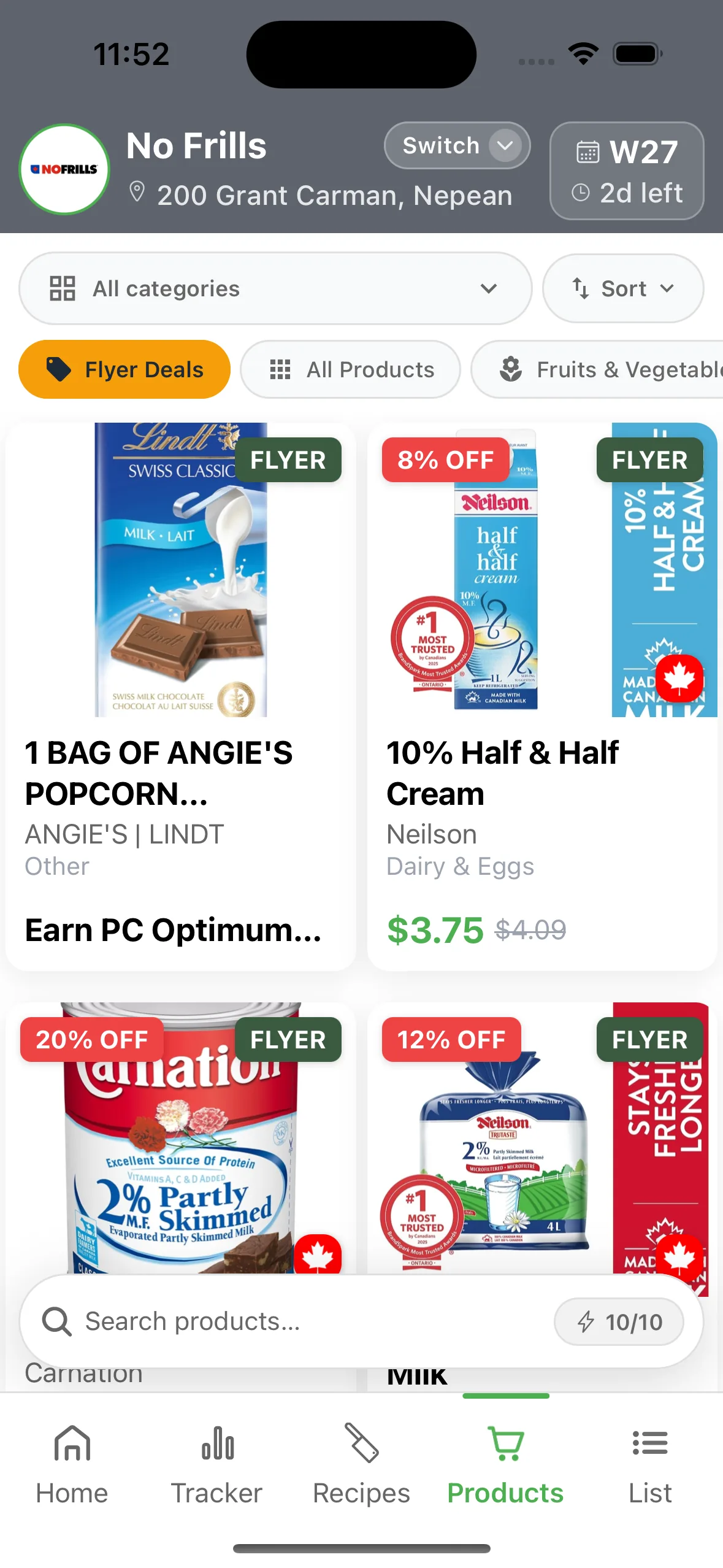
Start every shopping week here. The List tab shows the actually-good prices at the store you've selected — plus any deals you might have missed earlier in the week.
- Open Deal Dish and tap the List tab at the bottom of the screen.
- Tap the store selector and pick your preferred store — Deal Dish covers 2,513 locations across 21 Canadian banners from the Loblaw, Sobeys, and Metro families (No Frills, Loblaws, Real Canadian Superstore, Sobeys, Safeway, FreshCo, Metro, Food Basics, and more).
- Browse the two deal sections: Best Deals (on-sale products) and Flyer Deals (products featured in this week's flyer).
- Tap any product to see brand, category, original vs. sale price, discount percent, and add it straight to your shopping list.
New flyer deals drop every Thursday — that's when the next week's sale prices go live. Scroll back through the feed to catch any deals you might have skipped over.
Browse recipes built from deals
Pick recipes the way budget-savvy shoppers actually do: from what's on sale this week at your store, not from a Pinterest board.
- Tap Recipes in the bottom nav.
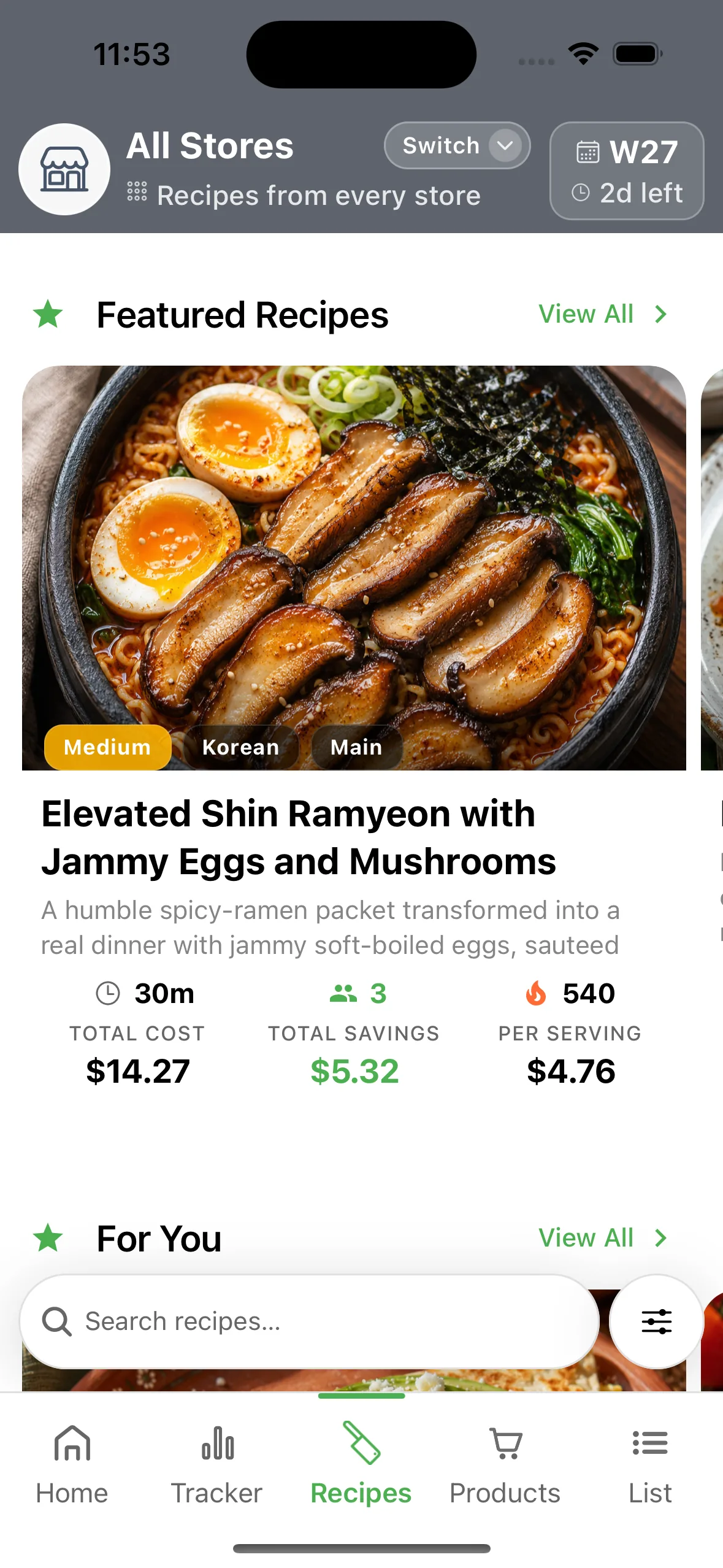
- Deal Dish surfaces recipes built from the deals at your selected store — swap the store to see a different recipe set.
- Each recipe shows its total cost, per-serving cost, and savings vs. regular prices at that store.
- Tap a recipe for ingredients, instructions, nutrition, and Cooking Mode — a full-screen, hands-busy view for the kitchen.
New recipes drop every Thursday based on the fresh flyer. Save favorites to your Recipe Book (3 on free, unlimited on Pro) so you can find them fast next week.
Plan your week of meals
Plan once a week. Cook all week. Stop the 5 o'clock "what's for dinner" spiral.
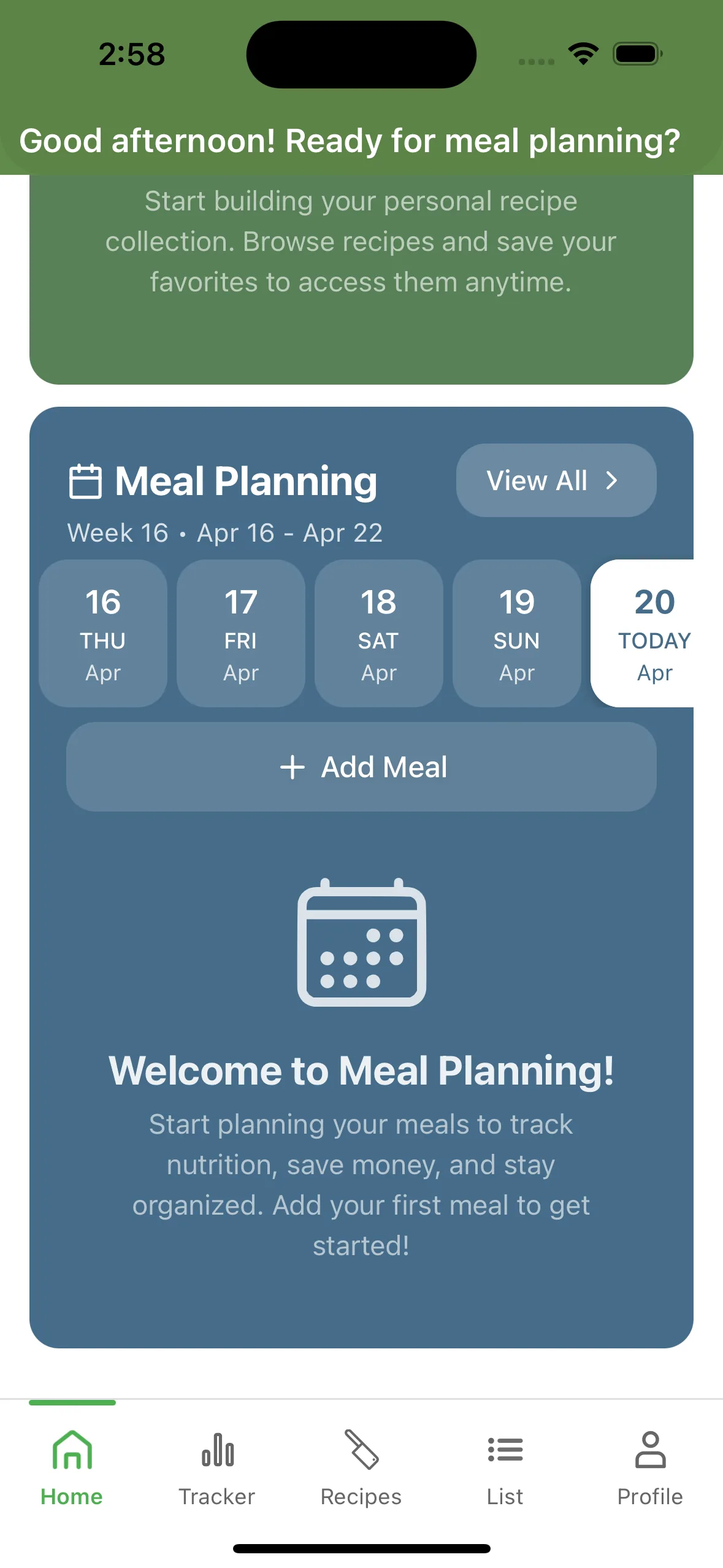
- Open the Home tab and tap Meal Planning.
- Pick a date, choose a meal slot (breakfast, lunch, dinner, snack, pre-workout, post-workout), and add a recipe — or log a one-off food item.
- Each planned meal carries its recipe's nutrition forward, so your daily totals build as you plan.
- Tap any entry to edit or remove it.
Free plans cap meal planning at 7 meals/week. Pro unlocks unlimited planning plus the ability to pull deals from multiple stores at once.
One shopping list, built from your recipes
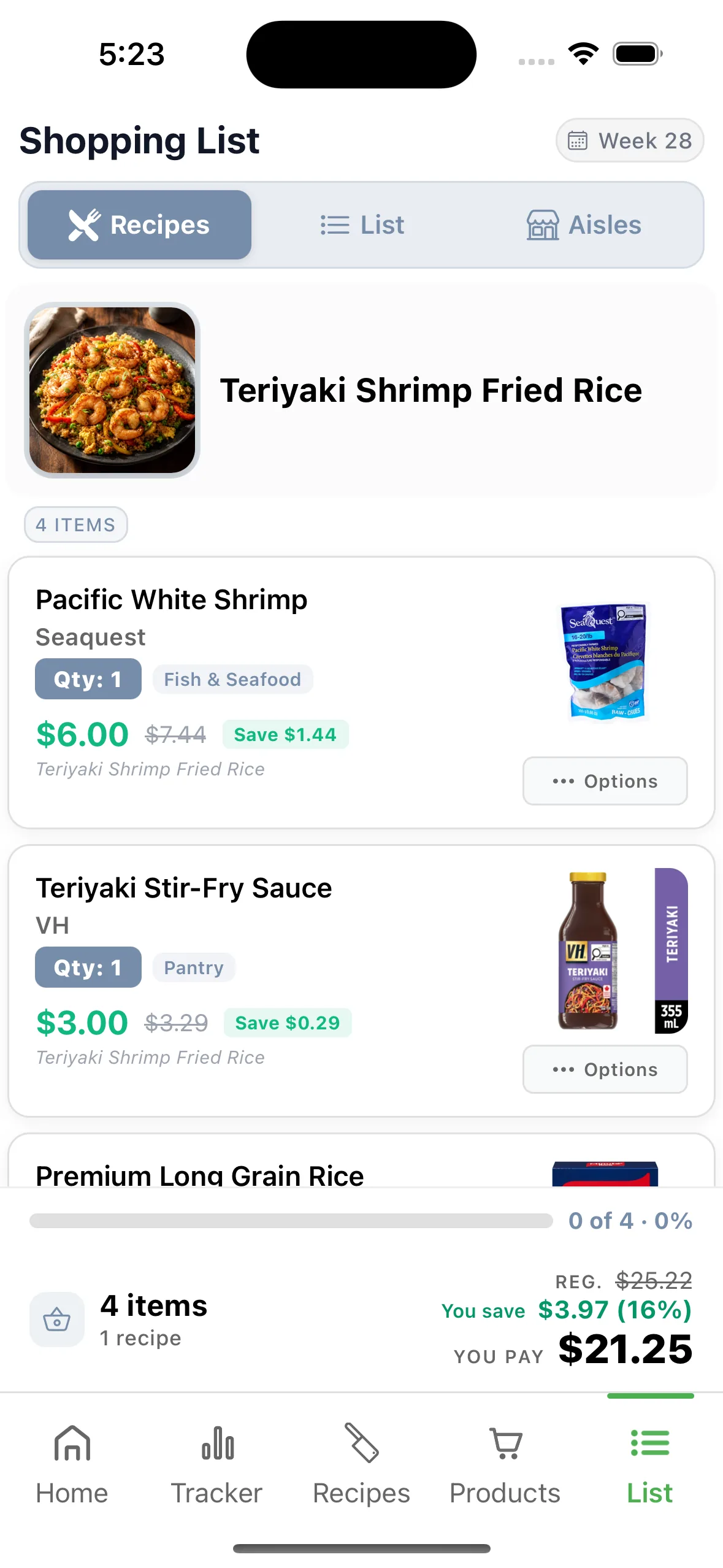
Keep everything you need in one easy-to-manage place. Select a recipe and Deal Dish auto-selects the on-sale ingredients for that recipe and drops them straight into your list.
- Open the List tab and tap into your Shopping List.
- From any recipe, tap Add to list — Deal Dish auto-selects the ingredients currently on sale and adds them for you.
- Add anything else (snacks, household items) from a product detail screen — pricing and sale status come along for the ride.
- Check items off as you shop. Unavailable items split into their own section so nothing gets lost, and a running count of checked vs. total stays pinned at the top.
Free users get 1 shopping list in one place. Pro unlocks unlimited lists — useful if you shop at more than one banner in the same week.
Scan barcodes to track what you eat
Point, scan, log. The scanner is how most people actually keep nutrition tracking alive past week two.
- Open Home → Meal Planning → Track Nutrition, or Tracker → Nutrition Tracking, then tap the scanner icon.
- Point your camera at a barcode — EAN-13, EAN-8, UPC-A, UPC-E, Code128, and Code39 are all supported.
- Deal Dish pulls the product from the Open Food Facts database and auto-fills calories, protein, carbs, and fat.
- Confirm the serving, pick the meal type, and it lands on your day.
If a barcode isn't in the database, tap manual entry — your custom entry is saved so the next scan of the same item is instant.
See what you actually saved
The little green number that turns "trying to save money" into "I saved $X this month."
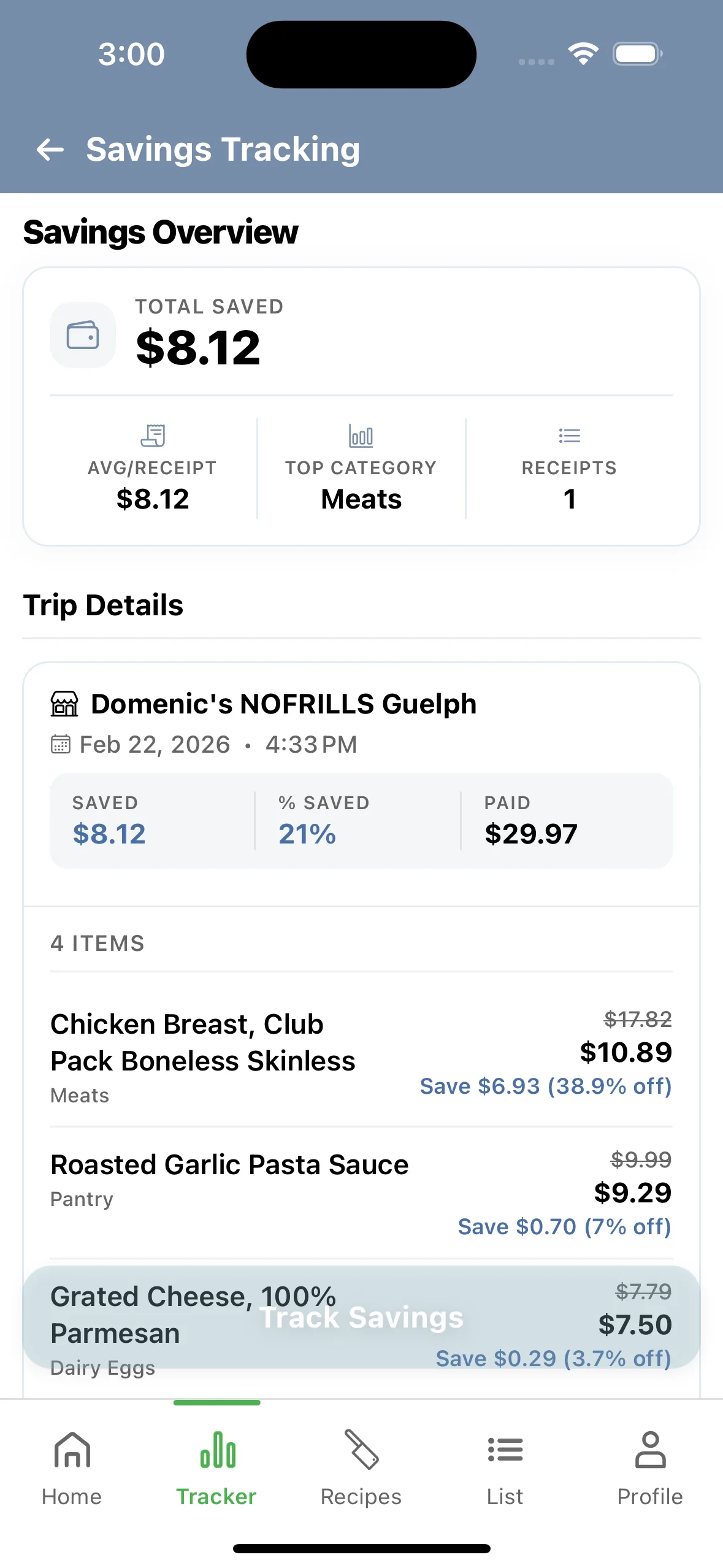
- Open the Tracker tab and tap Savings Tracking.
- Add a receipt after a shopping trip — Deal Dish logs item-level savings (sale price vs. regular price).
- Filter totals by week, month, quarter, or year, and see savings broken down by category.
- Data-integrity warnings flag receipts that look off, so your totals stay trustworthy.
Savings and receipts are yours to keep. Screenshot a monthly total when you want to see your streak at a glance.
Track nutrition, water & weight in one place
Calories, macros, hydration, and weight — no second app, no second login.
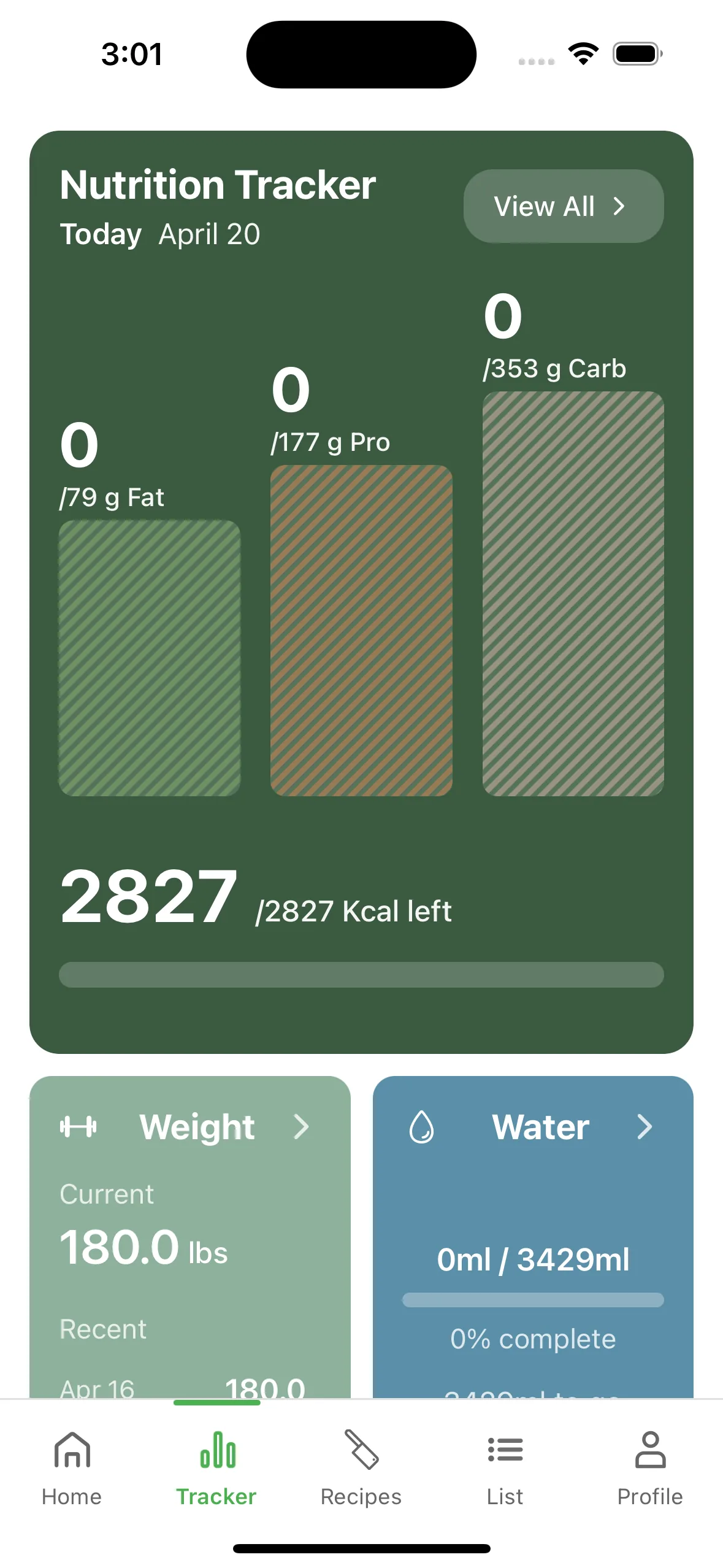
- Open the Tracker tab. Four trackers live here: Nutrition, Water, Weight, and Savings.
- Nutrition tracks calories plus protein / carbs / fat against your diet preset — Balanced, High-Protein, Low-Carb, Keto, Paleo, Vegan, or Mediterranean.
- Log water and weight with a single tap. Streaks and weekly trends are built in.
- Set your goals under Profile → Settings, then watch them progress on the tracker cards.
Free limits are 5 nutrition entries/week, 5 water entries/week, and 3 weight entries/week. Pro removes every cap.