Plan your meals around what's on sale.
Deal Dish is a free Canadian grocery app for iPhone, iPad and Android. Every Thursday it reads the flyers at 3,500+ stores across 35 banners, builds recipes priced with that week's sales and puts what you need on one list. Here's how each part works.
Free to download. Pro is optional.
Deals, recipes, one list and a scanner
This week’s deals at your store
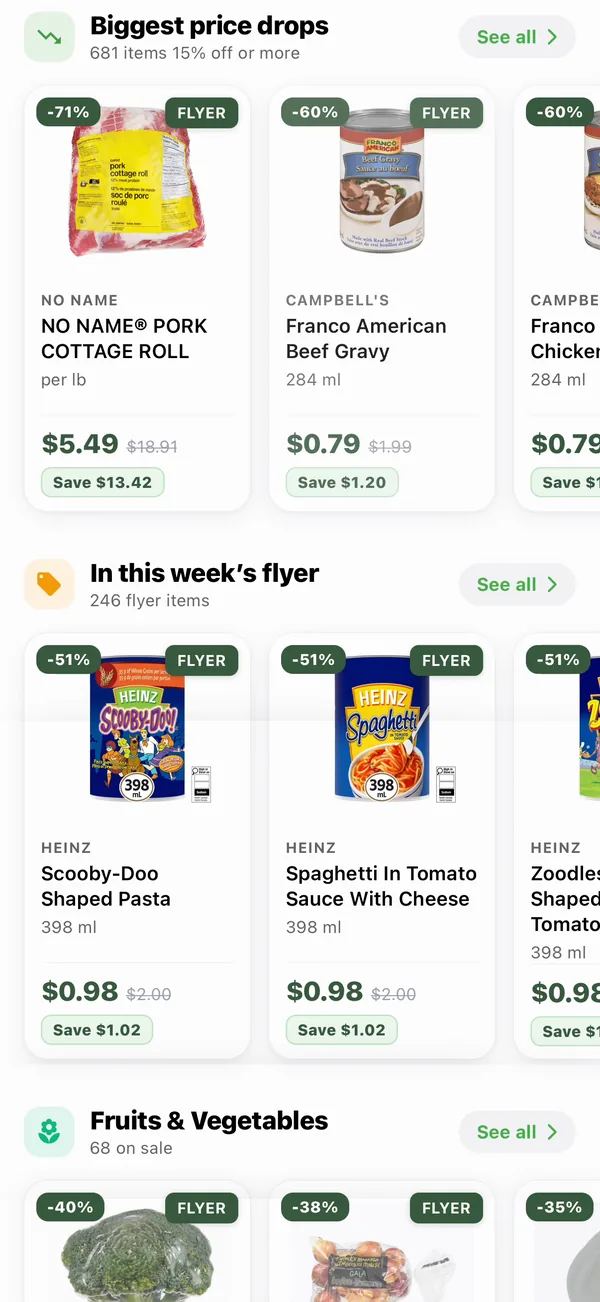
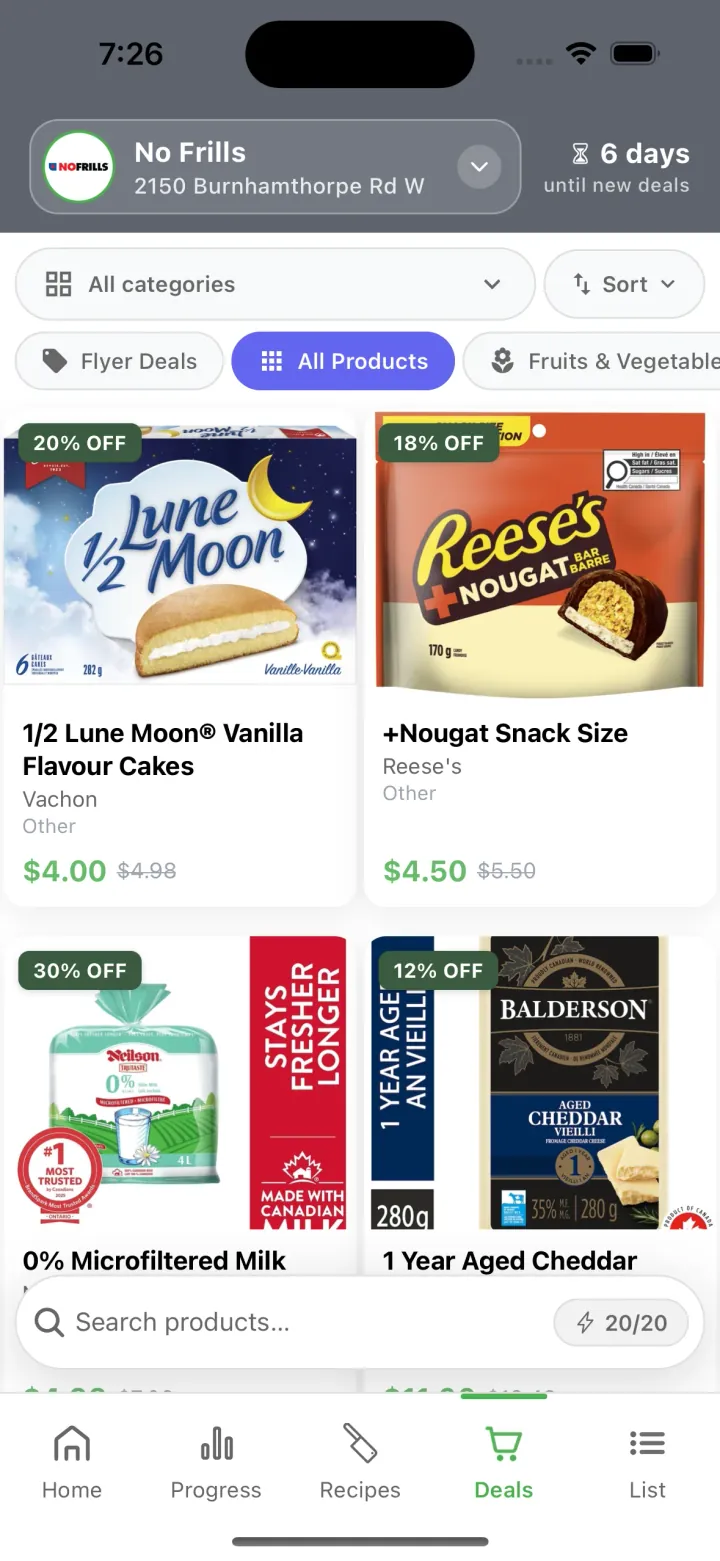
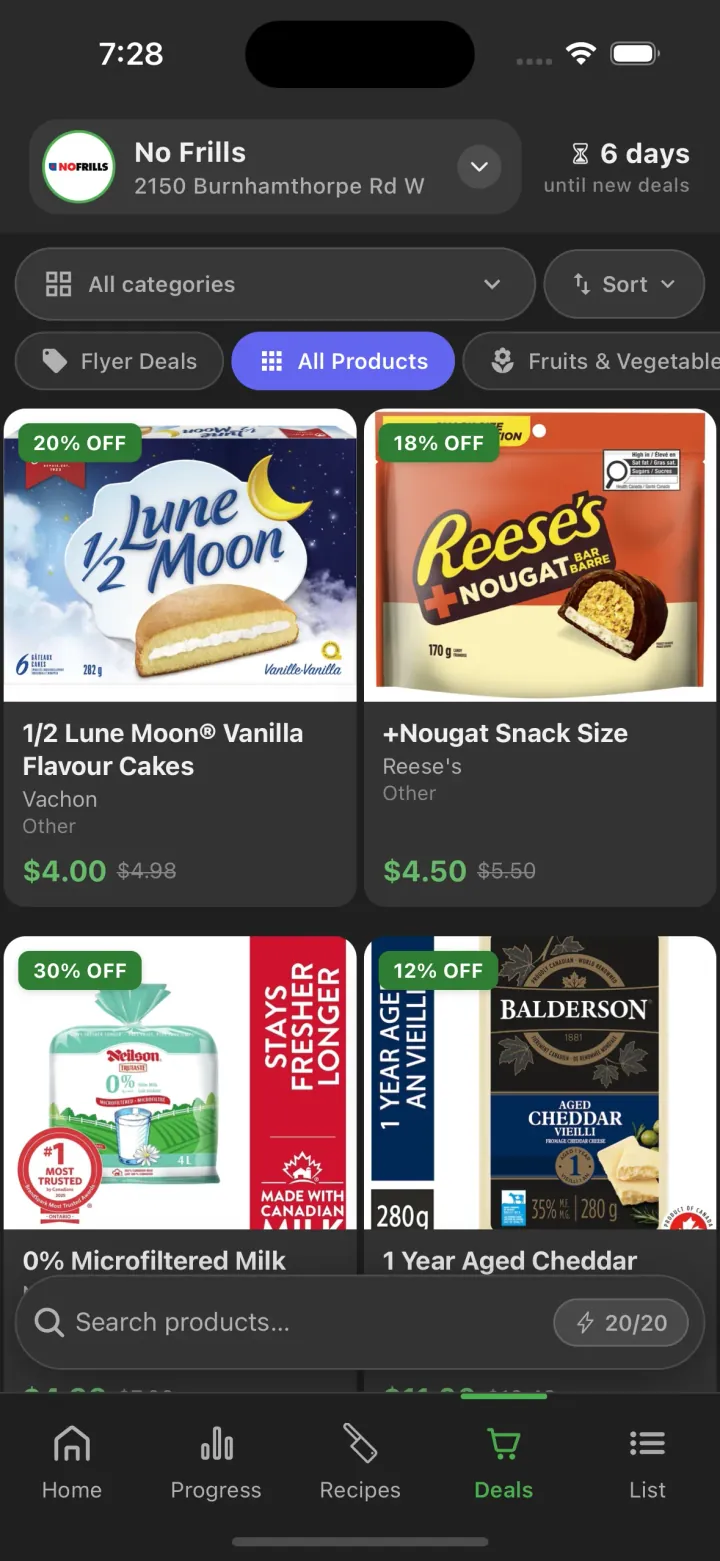
See what is on sale at your store, with the regular price beside the sale price. Deal Dish covers 3,500+ stores across Canada.
- Biggest price drops and this week’s flyer come first, then every aisle
- Each product shows its brand, regular price, sale price and percent off
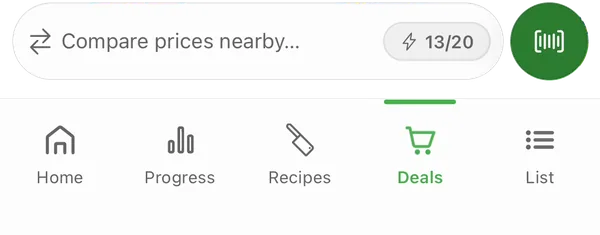
- Compare prices nearby shows the same deals at other stores around you
Real example
Italpasta fusilli, 750 g: $0.99, down from $2.29, at No Frills in the week of September 10, 2026.
Dinners priced with this week’s deals
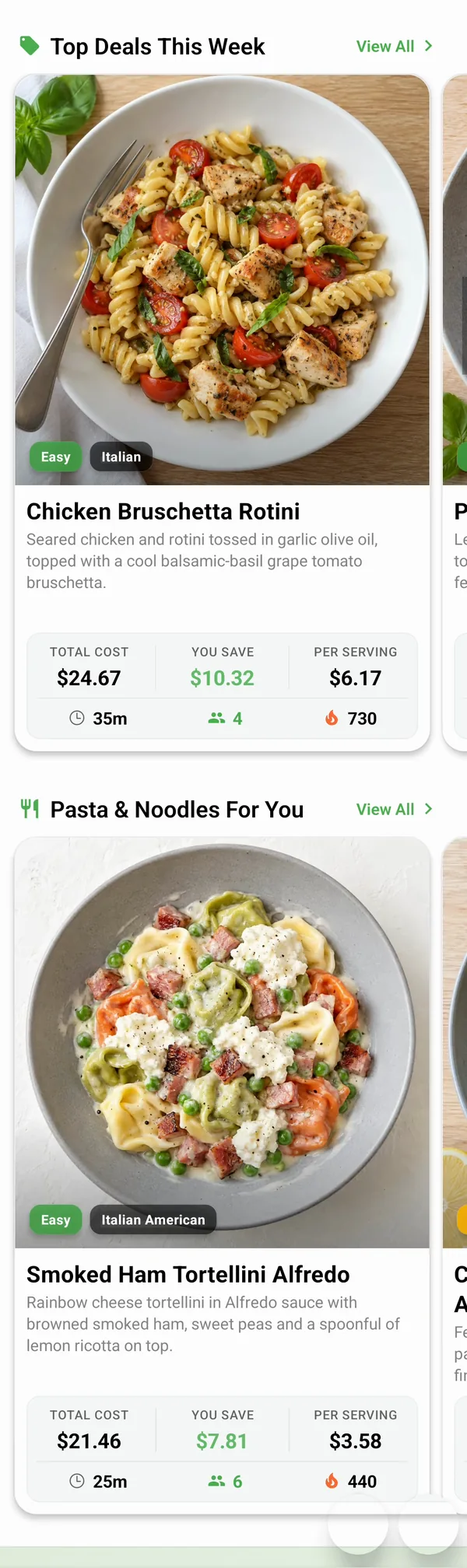
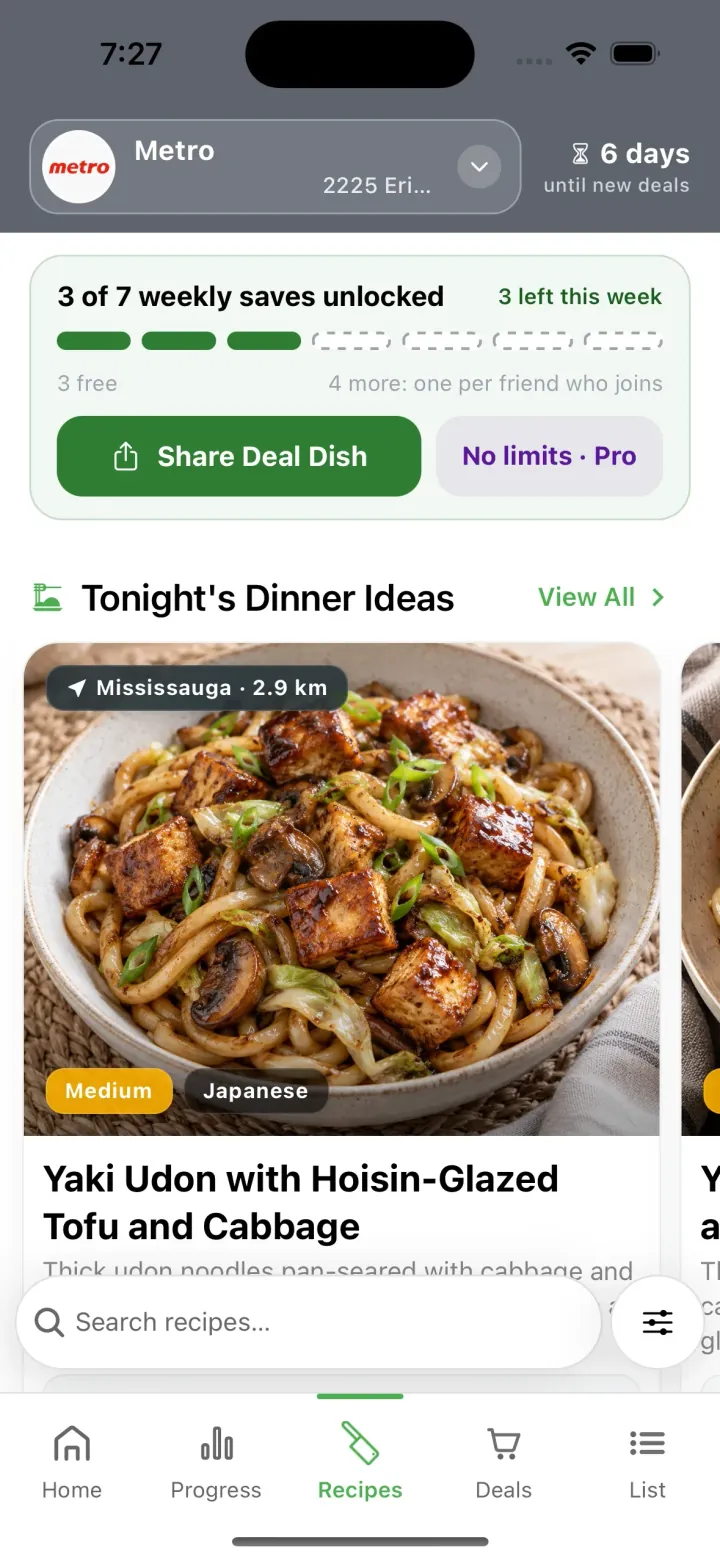
Every recipe shows what it costs at your store this week and how much the sale prices save you.
- Recipe cost, cost per serving and your savings on every card
- Start Cooking opens a full-screen view that keeps your screen on
- 500+ new recipes every Thursday
Real example
One-Pot Broccoli and Old Cheddar Fusilli: $2.99 a plate at No Frills. Its four sale ingredients were $5.79 below their regular price.
One list for the week
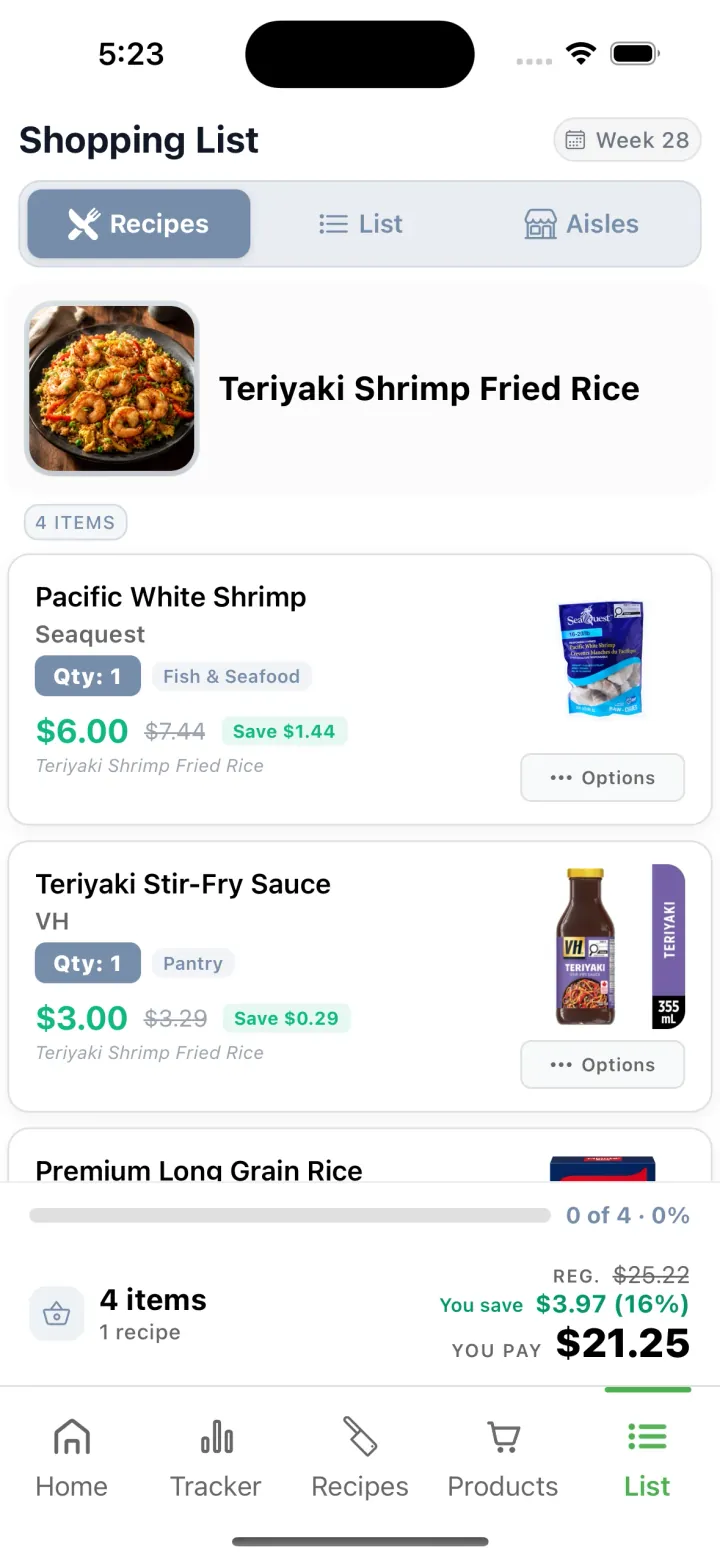
Add a recipe and what you need for it goes on your list. Pantry staples are left off.
- View it by recipe, as one list, by aisle or by store
- Add any other product from its detail screen
- The bar at the bottom counts what is in your cart and what you saved
After you shop
Tap Save receipt and the trip’s savings go to your Progress tab.
Scan a product to check its price
Scan a barcode in the store to see whether it is on sale and what it costs at stores near you. A second scanner logs food to your nutrition tracker.
- The price scanner reads EAN-13, EAN-8, UPC-A and UPC-E barcodes
- The food scanner looks products up in the Open Food Facts database
- It fills in calories, protein, carbs, fat, fibre, sugar and sodium
No match?
Type the barcode number, or log the food by hand.
Dark mode on every screen
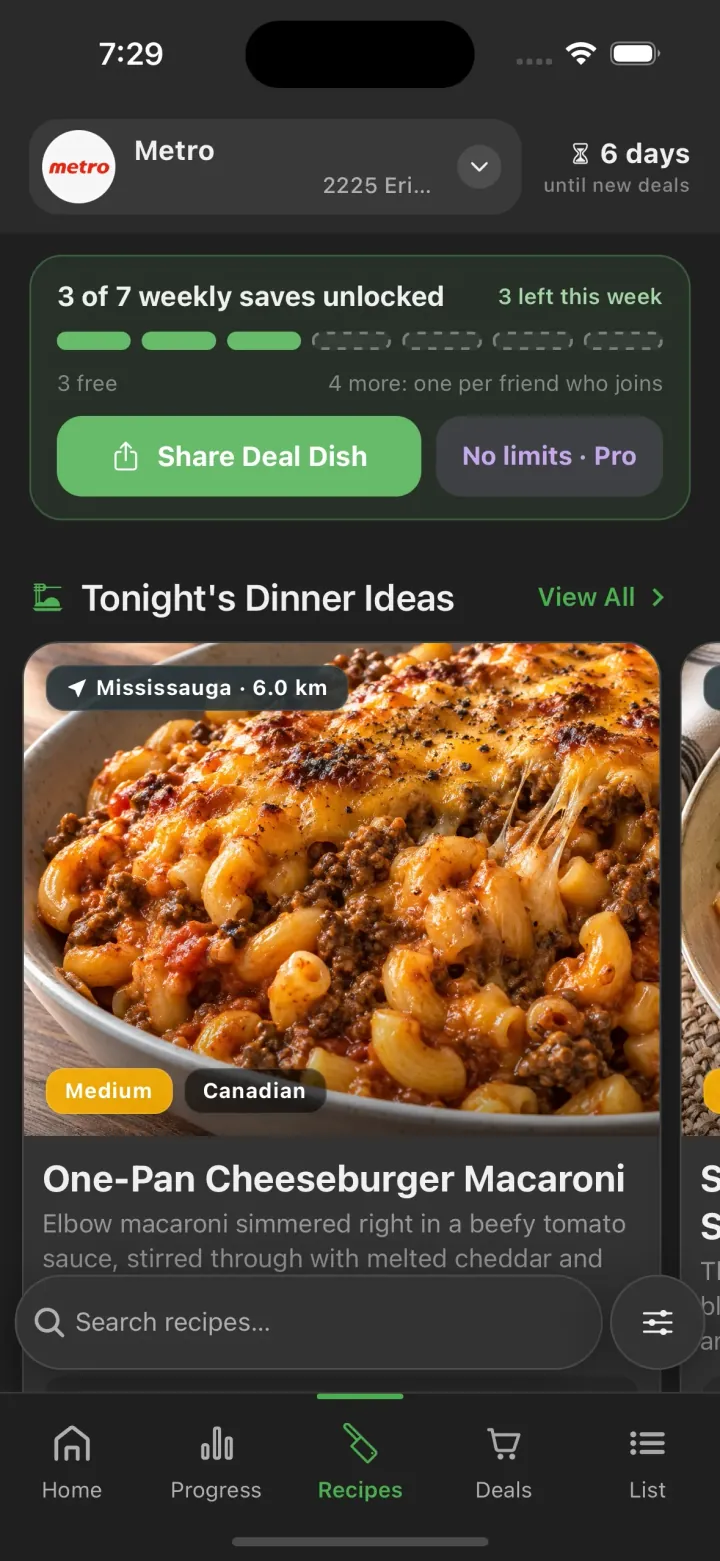
Deal Dish follows your phone's light or dark setting. To choose one yourself, open Settings from the Home tab and pick Appearance.
Also in the app
Sale alerts
Tap Notify me on a product and Deal Dish tells you when it goes on sale. The free plan watches 5 products; Pro watches 30.
Savings tracker
Save a receipt after each trip, then see what you saved over 30 days, 90 days or a year, and in which categories.
Meal planner
Put recipes on Breakfast, Lunch, Snacks or Dinner for each day of the flyer week. Thursday is marked, since that is when new deals start.
How to use each part of the app
Step-by-step walkthroughs with real screens from the iPhone app.
Set up your store and diet
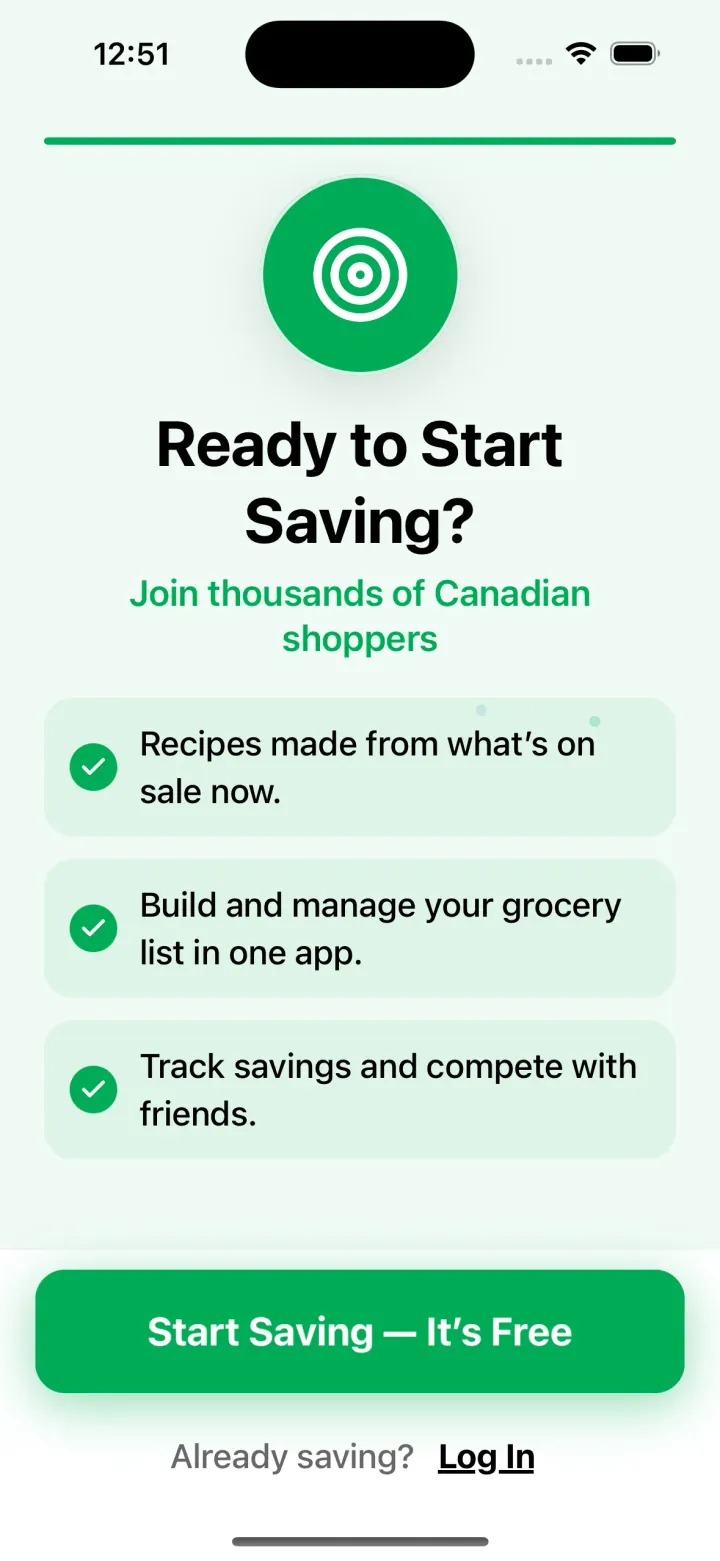
Setup asks for your store, your diet and your weekly budget, so the recipes you see start with what you can buy and eat.
- Pick your main goal, then your grocery store and its location.
- Choose a diet: Classic, Vegetarian, Flexitarian, Pescatarian, Vegan, Low carb, Paleo or Keto.
- Add any allergies and the kinds of meals you want to see.
- Set servings, cooking skill and a weekly budget (under $80, $80 to $120, or over $120), then sign up with your email.
Add a photo, a name and a public or private profile later from Set up your profile on the Home tab.
Find this week's flyer deals
The Deals tab shows what is on sale at your store this week, with the regular price beside the sale price.
- Tap Deals in the bottom bar.
- Start with Biggest price drops and In this week’s flyer, then scroll through the aisles.
- Each product shows its brand, category, regular price, sale price and percent off.
- Tap Compare prices nearby to see the same deals at other stores around you.
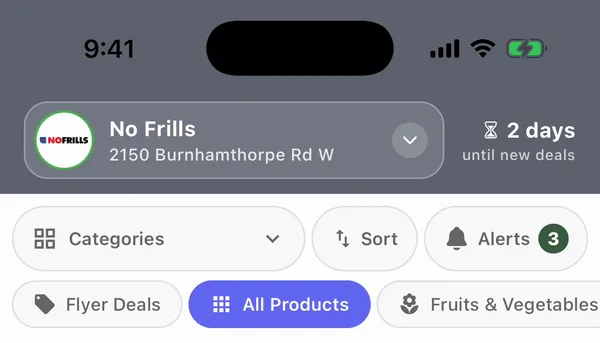
New deals arrive every Thursday. The header counts down the days until the next flyer.
Cook from this week's deals
The Recipes tab shows dinners priced with this week’s deals at your store, so you can see what each one costs before you shop.
- Tap Recipes in the bottom bar.
- Each card shows the recipe cost, the cost per serving and how much you save.
- Tap a recipe for its ingredients, steps and nutrition.
- Tap Start Cooking for a full-screen view that keeps your screen on.
Save favourites to your Recipe Book: 3 a week on the free plan, unlimited with Pro. New recipes arrive every Thursday.
Plan your week of meals
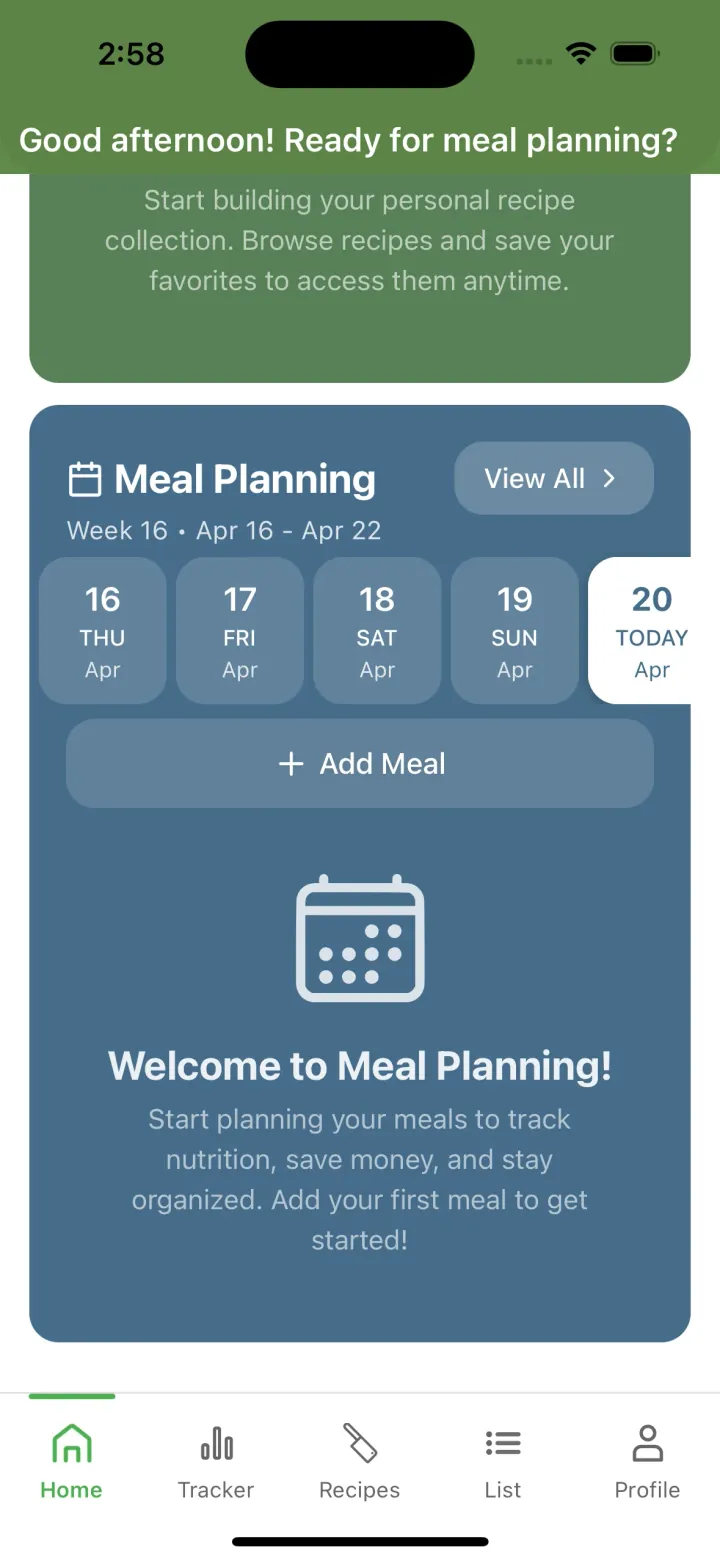
Put recipes on the days you will cook them, so the week’s meals come from the same flyer.
- Open the Home tab and tap Meal Planning.
- Pick a day. Thursday is marked because that is when new deals start.
- Choose a slot (Breakfast, Lunch, Snacks or Dinner) and add a recipe.
- Tap any meal to change or remove it.
The free plan includes 7 planned or logged meals per flyer week. Pro removes the limit.
Shop from one list
Add a recipe and what you need for it goes on this week’s list. Pantry staples are left off.
- On any recipe, tap Add to list.
- Add other products from their detail screen with Add to List.
- Switch views to see the list by recipe, as one list, by aisle or by store.
- Check items off as you shop. The bar at the bottom shows how many are in your cart and what you saved.
Tap Save receipt when you finish, and the trip’s savings go to your Progress tab.
Scan a barcode
Deal Dish has two scanners. One checks a product’s price at stores near you; the other logs its nutrition.
- To check a price, tap Scan a barcode on the Deals tab.
- To log food, open Track Nutrition and tap the scanner.
- Deal Dish looks the product up in the Open Food Facts database and fills in calories, protein, carbs, fat, fibre, sugar and sodium.
- Pick the meal and serving, and it is added to your day.
No match? Type the barcode number, or log the food by hand.
See what you saved
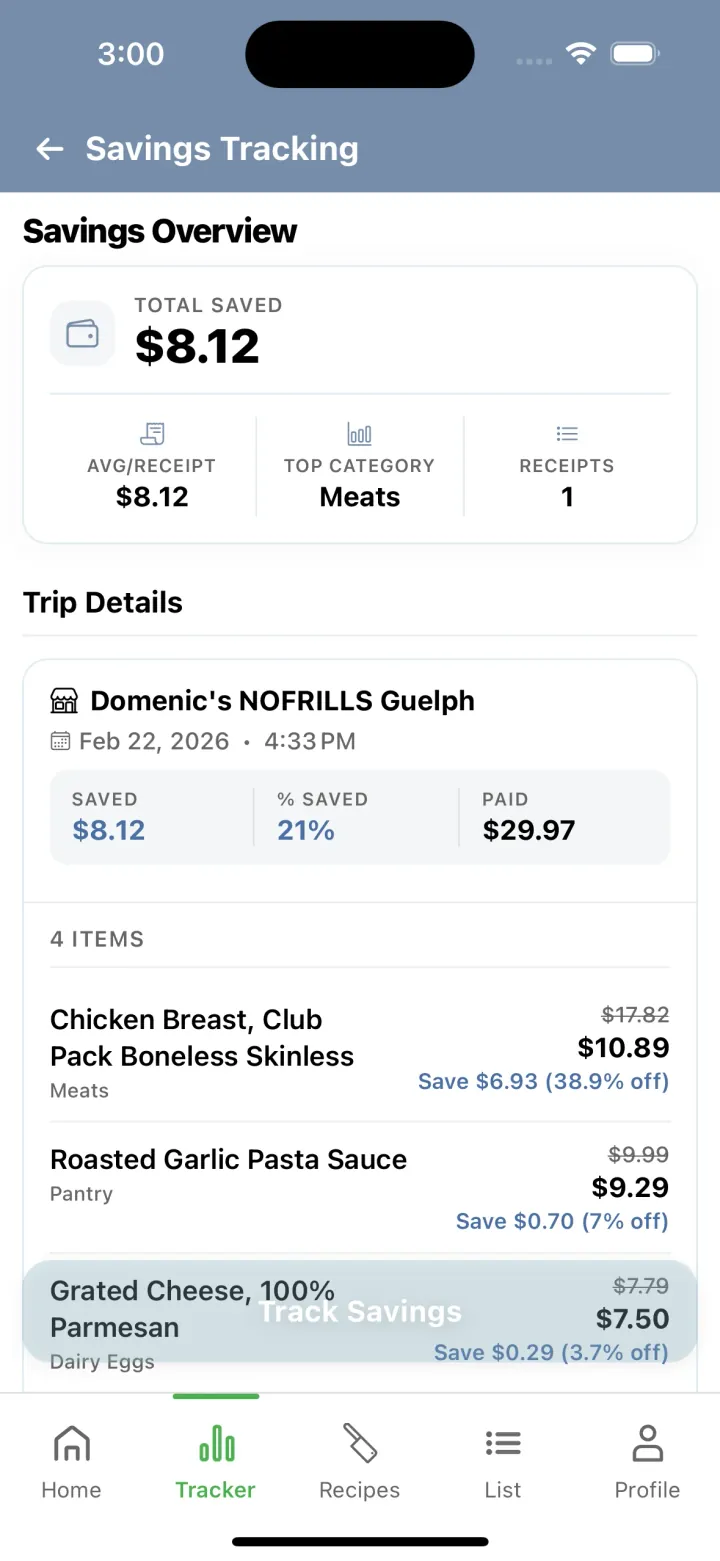
Every receipt you save adds up on the Progress tab, so you can see what the deals were worth.
- At the end of a shopping trip, tap Save receipt on your list.
- Each item on the receipt shows its regular price and what you saved.
- Open the Progress tab for your total. Filter by All, 30D, 90D or 1Y.
- Where you saved lists the categories you saved the most on.
Receipts are built from the items you checked off on your list.
Track nutrition, water and weight
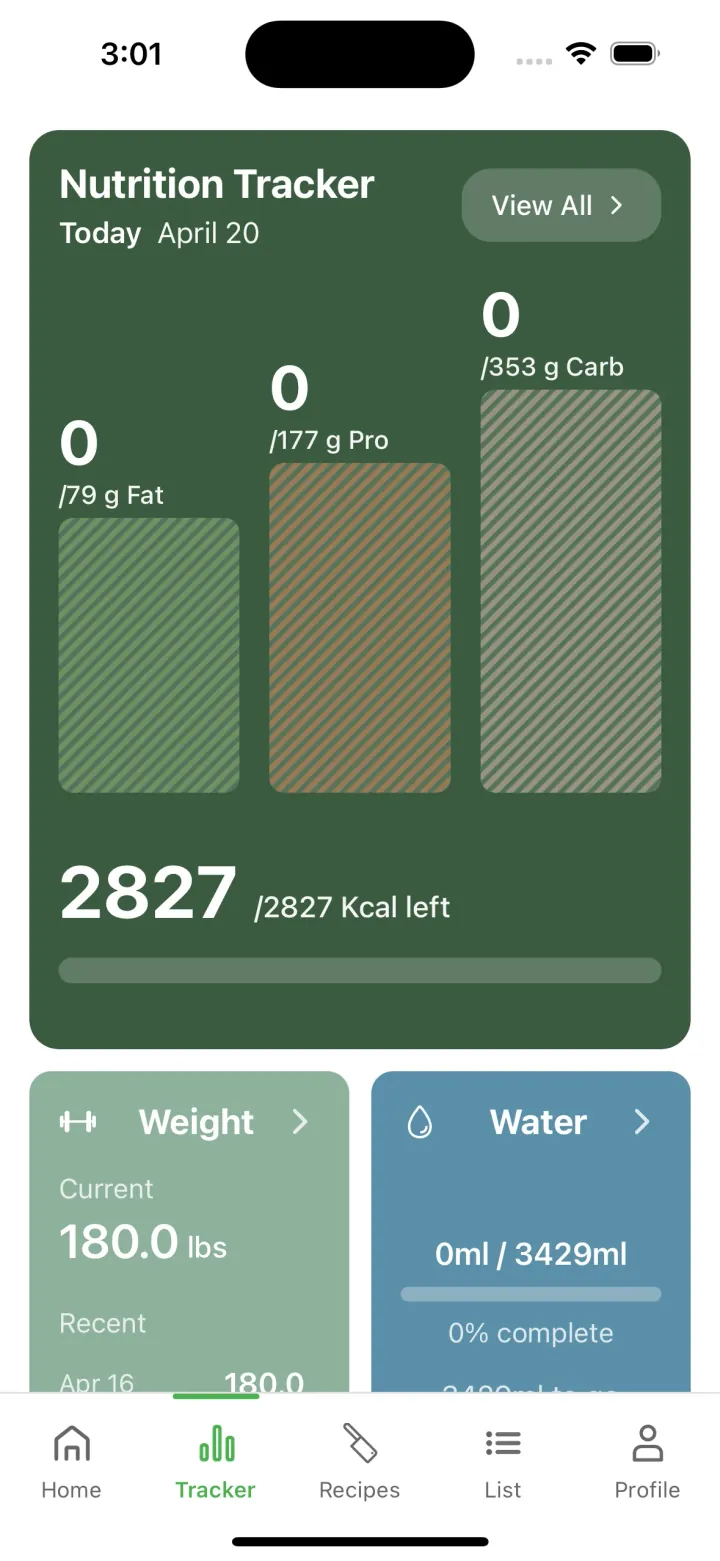
Log food, water and weight on the Progress tab, next to your savings.
- Open the Progress tab.
- Nutrition tracks calories, protein, carbs and fat against the diet you chose.
- Log water and weight from their cards.
The free plan shows the last 7 days of nutrition history. Pro shows all of it.
Answers before you download.
Yes. The free plan includes deals, recipes, the shopping list, both barcode scanners and the trackers, with weekly limits that reset every Thursday. Pro ($3.99 a month) removes those limits and lets you add deals from any store.
No Frills, Loblaws, Real Canadian Superstore, Atlantic Superstore, Maxi, Provigo, Fortinos, Zehrs, Valu-mart, Wholesale Club, Your Independent Grocer, Independent City Market, Dominion, Sobeys, Safeway, FreshCo, Foodland, Thrifty Foods, Metro, Food Basics, Super C, Freshmart, L’Inter-Marché, IGA, IGA West, Longo’s, Farm Boy, Marché Tradition, Adonis, Marché Richelieu, Save-On-Foods, PriceSmart Foods, Quality Foods, Urban Fare, Walmart. That is 3,500+ stores across Canada.
Every Thursday. The Deals and Recipes tabs show how many days are left until the next update.
Yes. You sign up with your email at the end of setup, after you pick your store, diet and budget. The account is free.
It works anywhere one of the banners above has a store, including small towns. Find your town on the store map on the home page or at dealdish.ca/deals.
Yes. Deal Dish is free on Google Play for Android, and on the App Store for iPhone and iPad.
Didn't find your answer? Ask on the contact page.